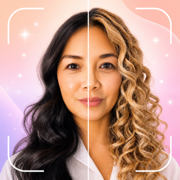
 Hair AI
To try on hairstyles on your own face: download a free AI try-on app like Hair AI, upload one clear front-facing selfie, then either pick from 130+ styles, upload a reference photo of hair you love, or describe the cut in words. The AI generates a photorealistic preview — your face, new hair — in under a minute.
Step 1: Take the right selfie
One photo determines your preview quality. Face the camera straight on, in even daylight, hair off your face, no heavy filters. If you want to preview a style seen from the side (like a fade), use a side-angle selfie to match — same angle in, same angle out.
Step 2: Choose your method
- Browse the catalog — fastest. Hair AI organizes 130+ styles into Trending, Women Short/Medium/Long, Men Fades, Men Classic, Curly & Textured, and Edgy — tap one and generate.
- Copy any photo — saw the perfect cut on Pinterest or a celebrity? Upload that photo as a reference plus your selfie, and the AI adapts the exact cut and color to your face shape and hairline.
- Describe it — type what you want, as you'd say it to a stylist: "collarbone lob with curtain bangs" or "skin fade with a Korean perm on top." The AI builds it from words.
Step 3: Judge it honestly
Use the before/after slider and look at the things a screenshot of a model can never show you: how the length sits against your jaw, how the color plays with your skin, what happens to your hairline. Generate two or three variations — the comparison is where the decision gets easy.
Step 4: Take it to the salon
Save winners to your gallery and show them at your appointment. Stylists consistently prefer this to celebrity photos: a preview on your own head already accounts for your face shape and texture, so what they see is what they can actually deliver.
Why AI try-on beats the old ways
Wig filters and face-in-hole templates paste a flat cutout over your photo — every one looks like a costume. Modern AI regenerates the image so the hair has real depth, shadow and behavior, matched to your lighting. That's the difference between a gimmick and a genuine decision tool, and it's why trying before cutting has become the normal way to plan a big hair change.
See it on your own face first
Hair AI is free to download on iPhone and Android and includes free credits — enough to preview your first styles at no cost. One selfie in, a gallery of photorealistic new-you options out.
Frequently asked questions
Is there a free app to see hairstyles on my face?
Yes — Hair AI is free on the App Store and Google Play, with free starter credits for your first photorealistic previews.
Can AI show me a specific haircut from a photo I found?
Yes. In Hair AI, upload the reference photo alongside your selfie and the AI transfers that exact cut and color onto your face, adapted to your features.
What photo works best for hairstyle try-on?
A sharp, front-facing selfie in even daylight with hair pulled back and no filters. For side-view styles like fades, use a matching side-angle photo.
Are AI hairstyle previews realistic?
Good ones are — instead of pasting a wig overlay, apps like Hair AI regenerate the photo so the new hair has natural depth, shadows and hairline blending in your own lighting.